SDS software

A complete SDS toolkit that stays simple.

Build inventories, give employees immediate access, print labels and keep documents organized across every location. For a product overview, explore our SDS management software.

01

Employee SDS access

Give employees a direct, searchable SDS library at a custom web address. No employee account or app is required.

  • Search by product, manufacturer, AKA, product number or barcode
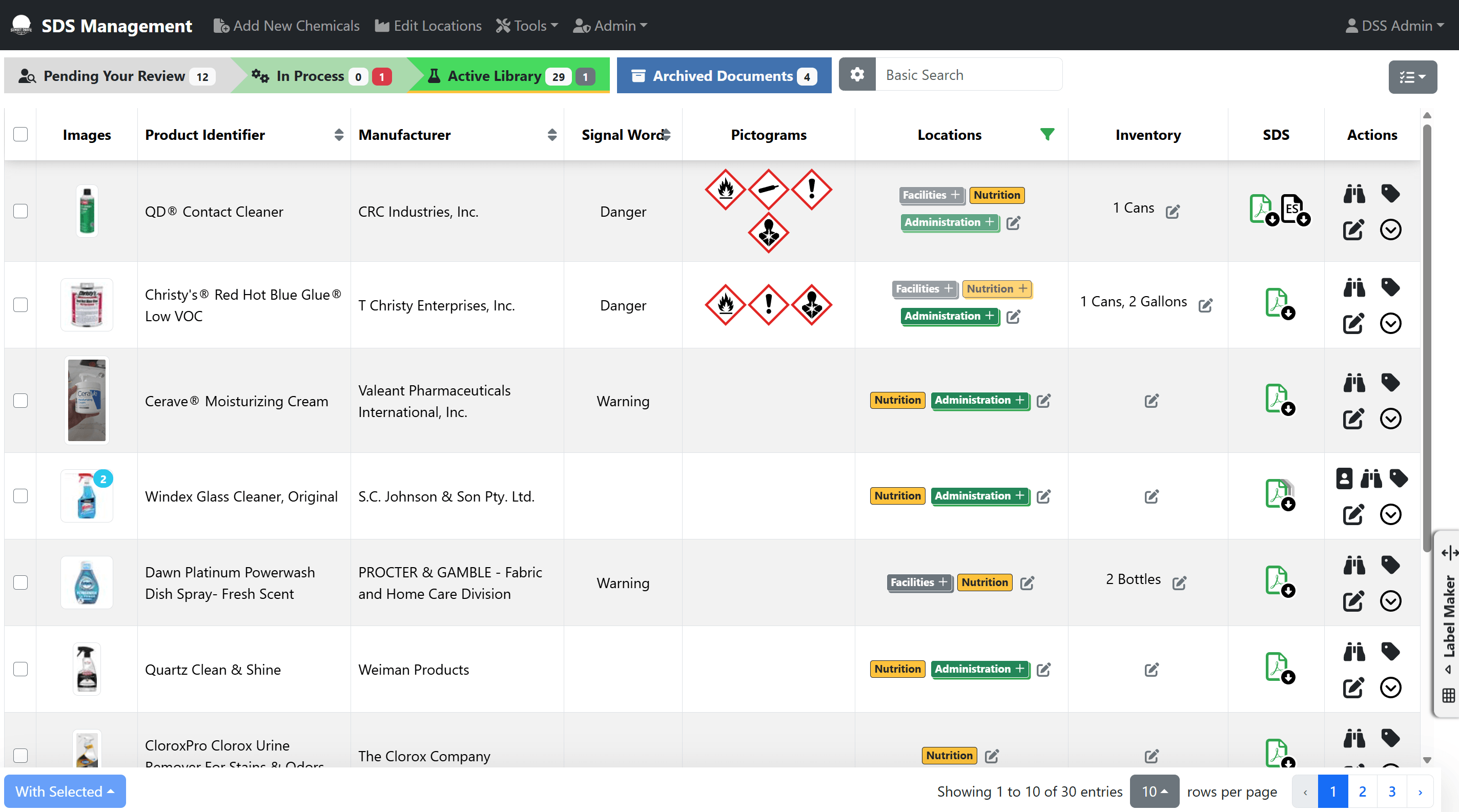
  • Recognize chemicals with product photos and hazard pictograms
  • View, download and print SDS documents on any device
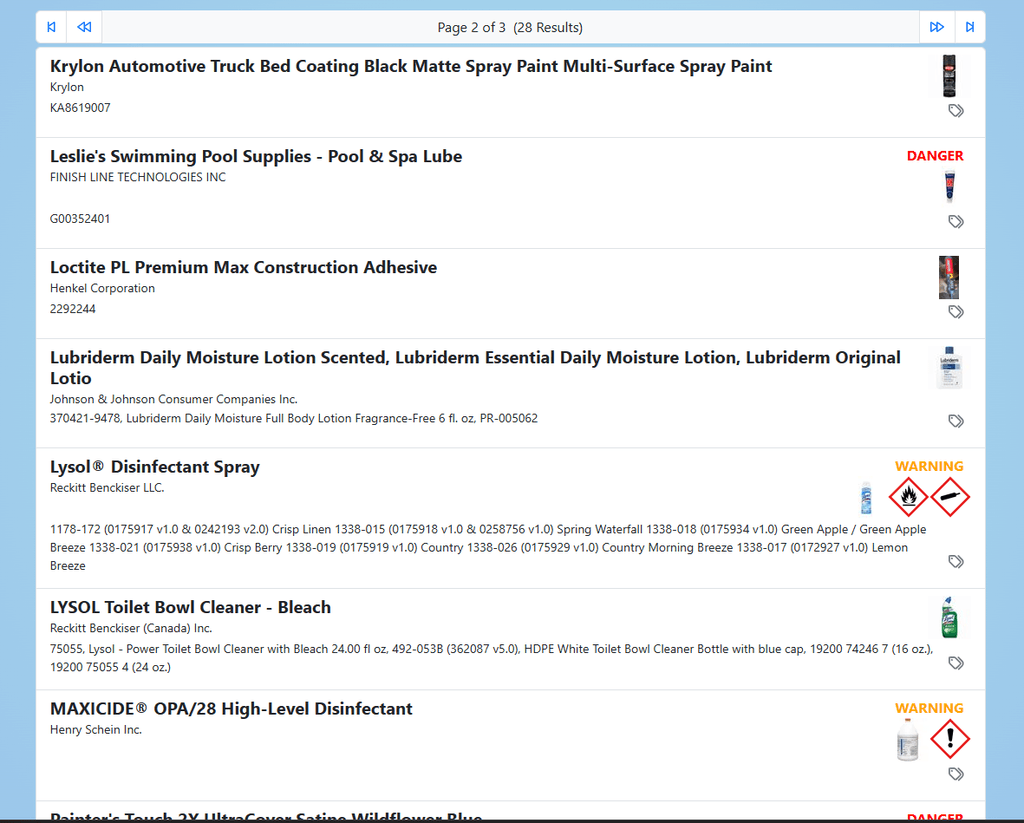
Employee SDS search portal
02

Mobile chemical inventory

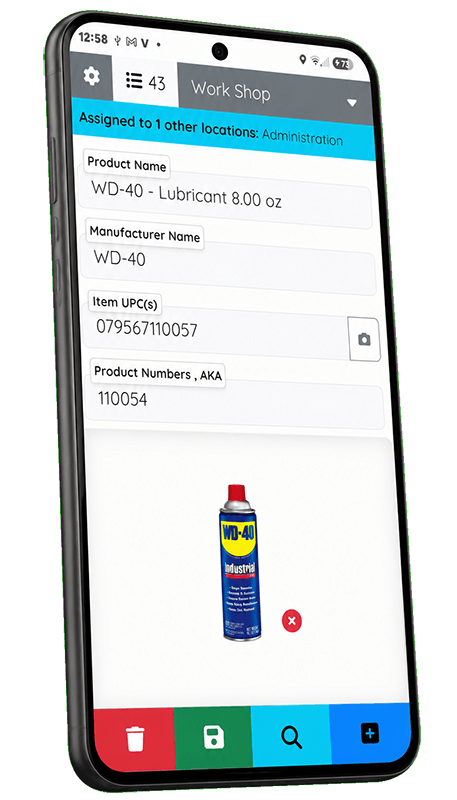
Walk a location with a phone or tablet, scan product barcodes and build an accurate chemical inventory as you go.

  • Assign chemicals to facilities, departments or work areas
  • Use unlimited locations without per-location fees
  • Upload spreadsheets when you already have an inventory list
Mobile chemical inventory screen
03

One-click GHS labels

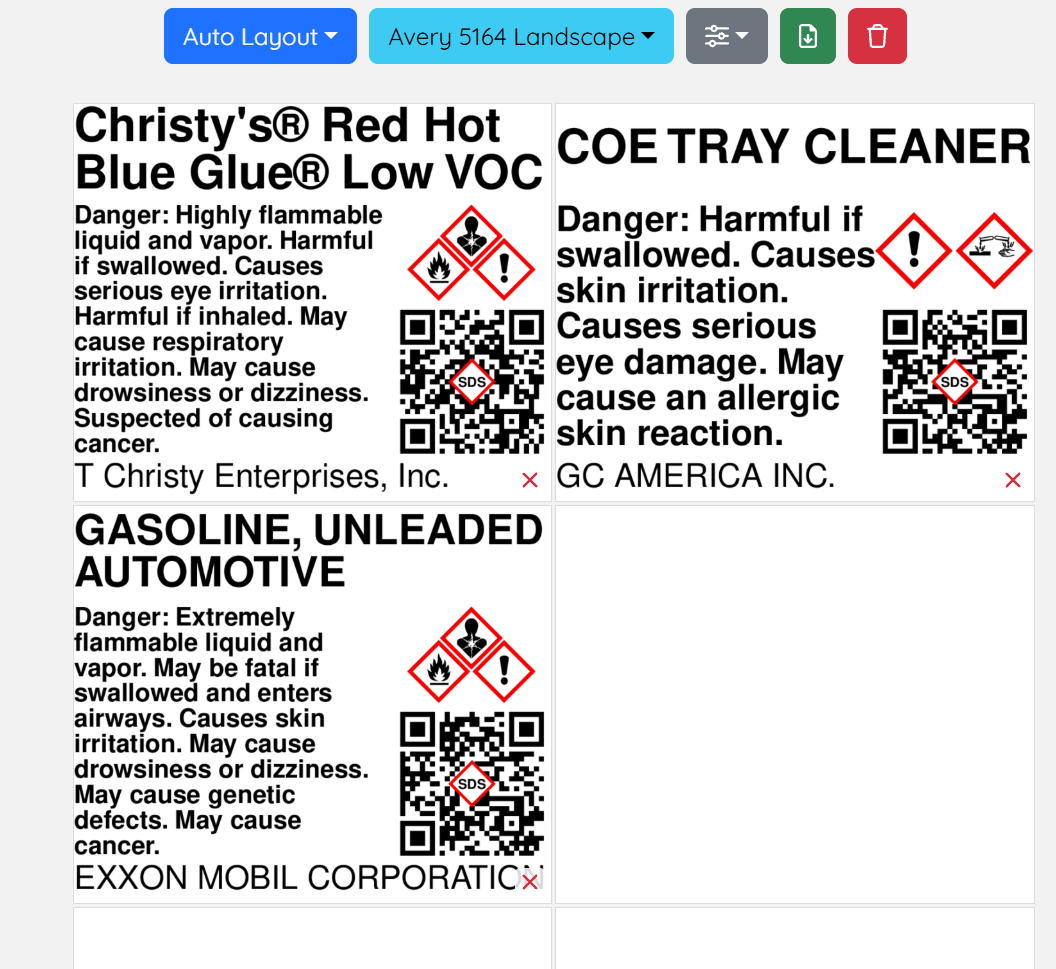
Generate secondary-container labels from information already indexed in the SDS library.

  • Standard Avery-style sheet layouts
  • Product name, signal word, hazards, pictograms and QR code
  • Use a normal office or compatible label printer
GHS label maker
04

Binders and exports

Produce the records your safety team, employees and inspectors need without rebuilding the same information by hand.

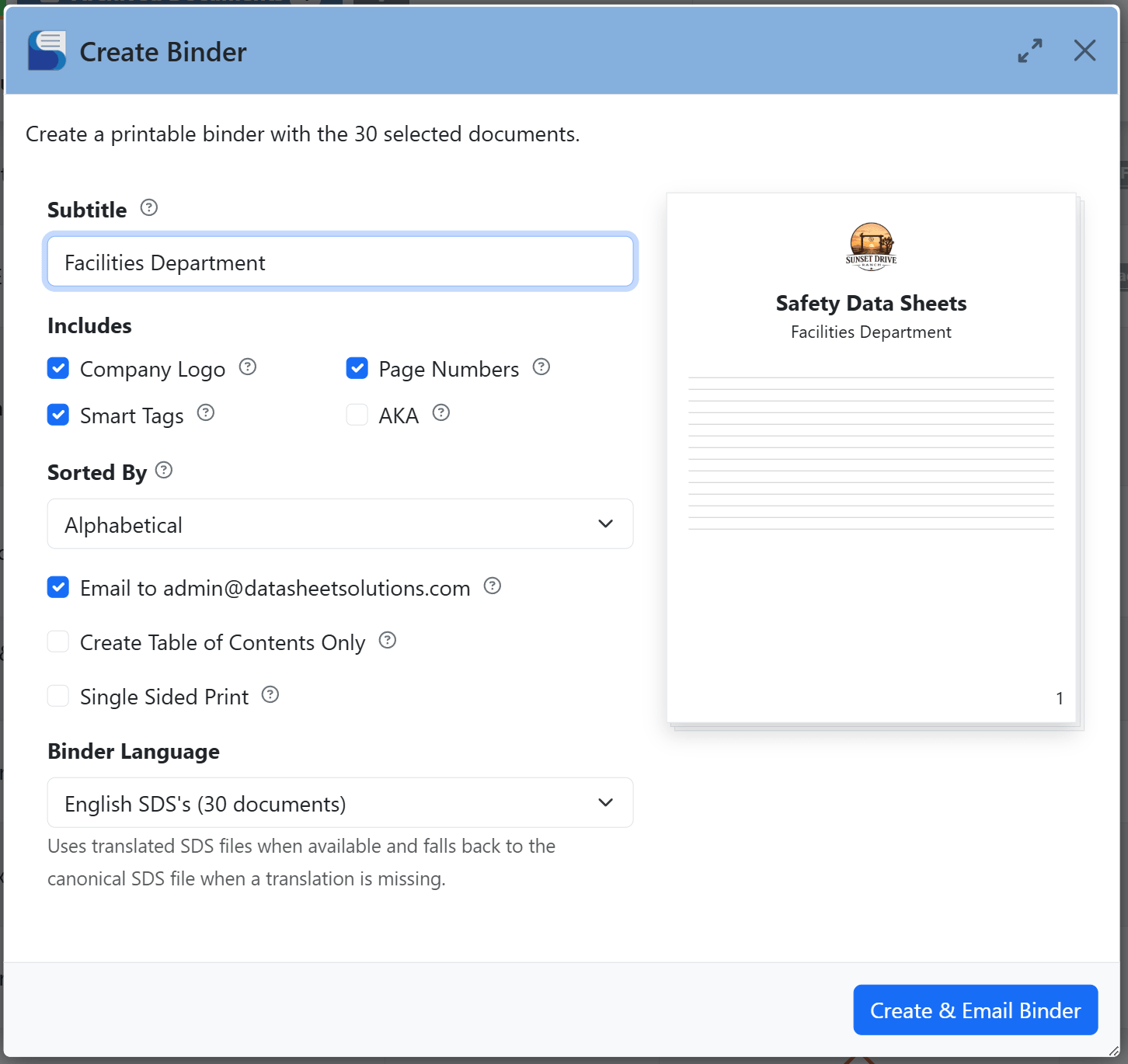
  • Printable SDS binders with a working table of contents
  • Bulk SDS downloads
  • Excel chemical-inventory exports
SDS binder exports
05

Administrative control

Delegate responsibility across the organization while keeping every chemical, document and location in one system.

  • Unlimited administrators
  • Location-specific permissions
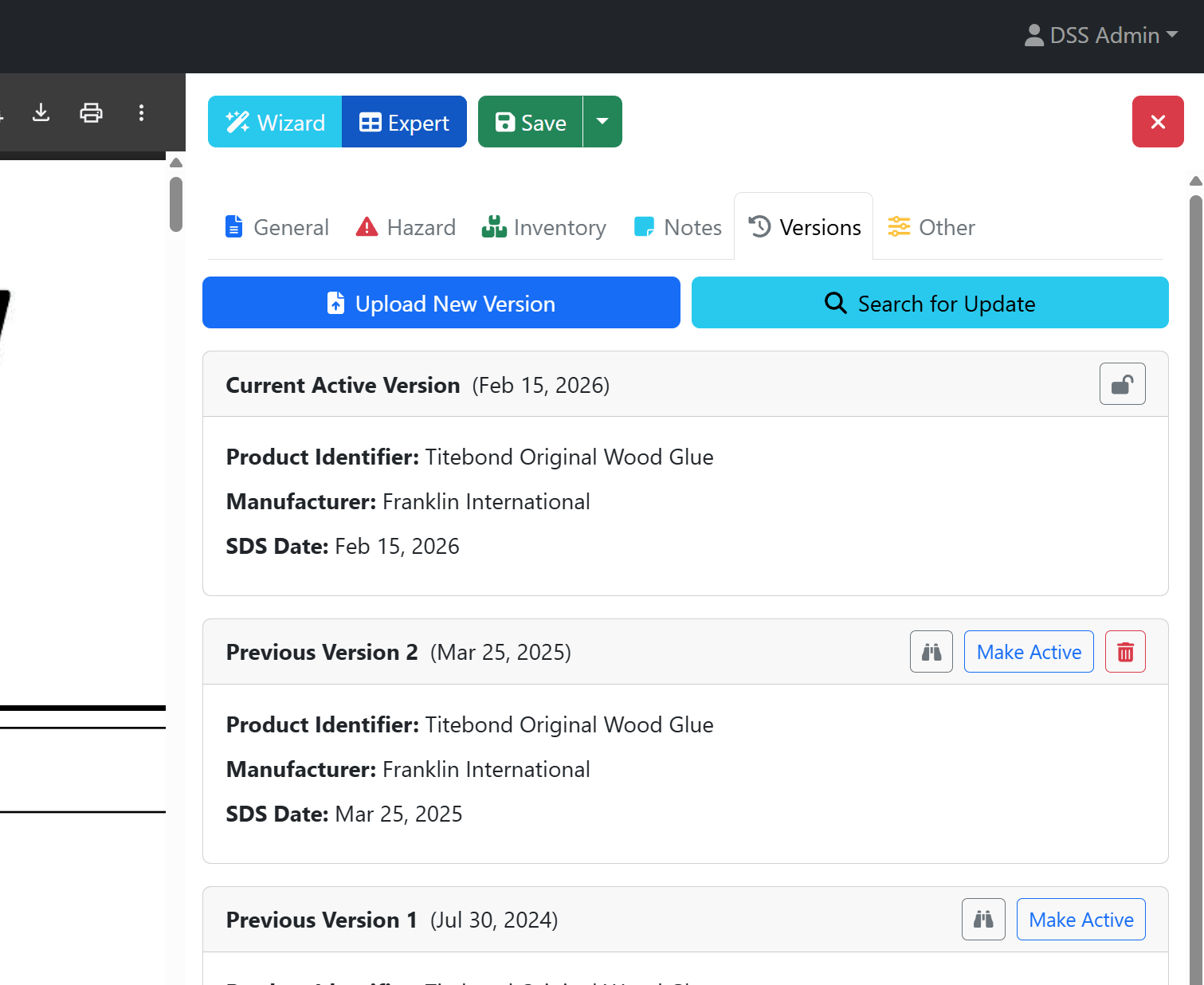
  • Document version history and currentness tracking
Data Sheet Solutions administration screen
06

SDS Autopilot

Hand the document research and maintenance work to our fulfillment team while your staff focuses on the workplace.

  • We locate and index SDS documents
  • Manufacturer outreach when documents are difficult to obtain
  • Every active SDS is reviewed on a six-month cycle
SDS Autopilot screen
Complete feature comparison

Compare every SDS management capability.

SDS Autopilot includes every SDS Toolbox capability, plus managed document fulfillment and other Autopilot-only controls.

Feature availability by service level
Feature Toolbox Autopilot
Inventory and library management
Pending, active and archived chemical lifecycle
Chemical record editor with wizard and expert modes
Product ID, manufacturer and AKA fields
Product images and captured photos
Signal words, GHS pictograms and hazard data
Location assignment and nested location trees
Location point-of-contact roles
Quantity and unit tracking
Inventory dates and status tracking
Custom chemical properties
SDS revision dates and version history
Archive and restore by location
SDS Matching and duplicate prevention
Self-managed chemical indicators and filters
Portal activity and audit logs
Search and filtering
Keyword search by product, manufacturer and AKA
SDS Contents full-text search
Location filtering
GHS pictogram filtering
Smart Tag filtering
Self-managed chemical filtering
Inventory status and date filters
Crowd-sourced Community Library with 1.2M+ SDSs
Community Library search for hard-to-find or discontinued products
Web search shortcuts for missing SDSs
Documents, labels and bulk actions
Manual chemical entry
CSV chemical inventory import
PDF SDS upload and drag-and-drop upload
OCR processing and automatic indexing
Internal SDS document viewer
Single and multiple SDS downloads
Bulk location edits and location merging
Printable PDF SDS binders
Binder covers, table of contents and sorting controls
Bulk SDS ZIP downloads
Email selected SDS files
Bulk Send To lifecycle actions
Secondary-container label maker
Avery and label-maker templates with display controls
QR-priority label layout and printable label PDFs
SDS translations in 100+ available languages and location-based auto translation
Mobile inventory and employee portal
Mobile chemical inventory tool
UPC barcode scanning
Product photo capture and recognition assistance
Inventory form and mobile inventory list
Searchable employee SDS portal
Employee missing-SDS request form
Employee portal label maker
Pinned non-SDS documents by location
Employee portal access controls, login and IP allowlists
Email verification and allowed email domains
Employee single sign-on
Administration, reporting and account controls
Administrator account management
User groups and permission levels
Business branding and portal configuration
Feature flags for Community Access, employee requests and Smart Tags
Excel chemical inventory reports
Reports filtered by location, search and inventory status
Employee portal and dashboard usage statistics
Portal event email notifications
Account profile, password and authenticator app settings
Billing details, receipts and plan upgrades
Autopilot enhanced services
Send SDS research requests to the fulfillment team
In-process fulfillment queue and request status
Respond to fulfillment team messages
Manufacturer and supplier research and outreach
Active-document review and update service
Mark uploaded documents as self-managed within Autopilot
Direct-to-fulfillment routing with admin approval control
Fulfillment rejection and update email notifications

Community access, portal controls and other configurable functions must be enabled by an administrator. SDS translations require translation credits.

See the system in action

Make SDS management easier for your whole team.

Explore the interactive demo Or book a live demo